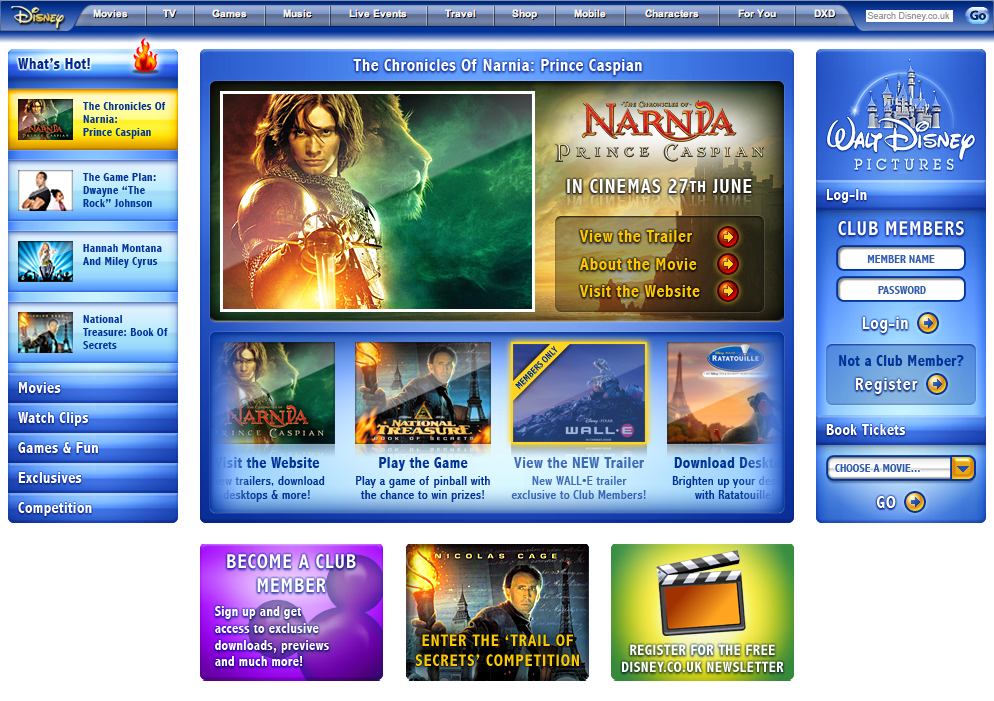
Finalised designs and demo walkthrough of the UK Disney Movies website, showcasing current cinema releases.
These were the designs and the walkthrough notes shown to the client for approval prior to building the site.
Based on client's requirements, I had main responsibility for all initial proposed layouts and designs, IA, right up to final designs, layouts, graphics, build-assets. Everything front-end. Liaising with the developers and passed on to coder for build.
This website was live for some time at disneymovies.co.uk, but has since been replaced with a different layout.
Click each screen below to instantly go from one to the next, instead of scrolling the whole page.
Home page, showing in the top panel:
• Static promo graphic.
• Movie logo.
• Release date.
-links to:
• View the trailer.
• Read about the movie.
• Visit the official external website.
Underneath, in the bottom panel, is an auto-scrolling thumbnail strip of other movies. Passing the mouse over this area halts the auto-scrolling.
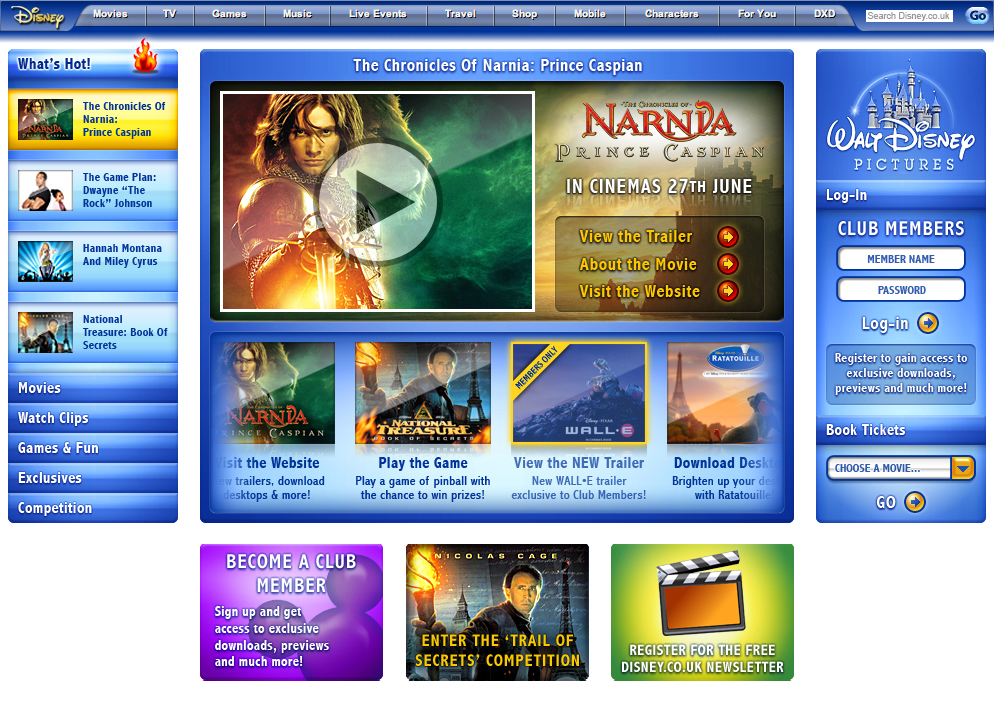
As well as displaying a text-link to view the trailer, the static promo graphic will double-up as a large shortcut button / link to view the trailer, displaying a large translucent "play" symbol when moused over.
Note the difference in the "Register" panel on the right side in this screen: rather than being a static link, it is a mini-animation which alternates between register-link and register-incentives. Clicking this area at any time will link the user through to the register screen.
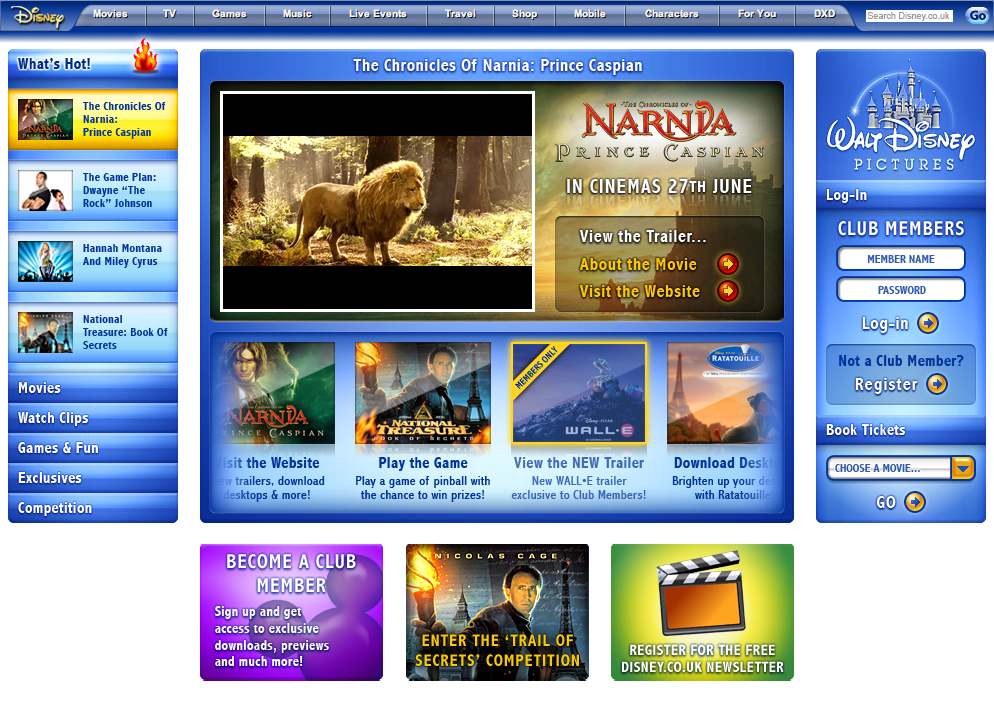
Showing an example of a movie trailer (in CinemaScope 2.39:1 aspect ratio) playing.
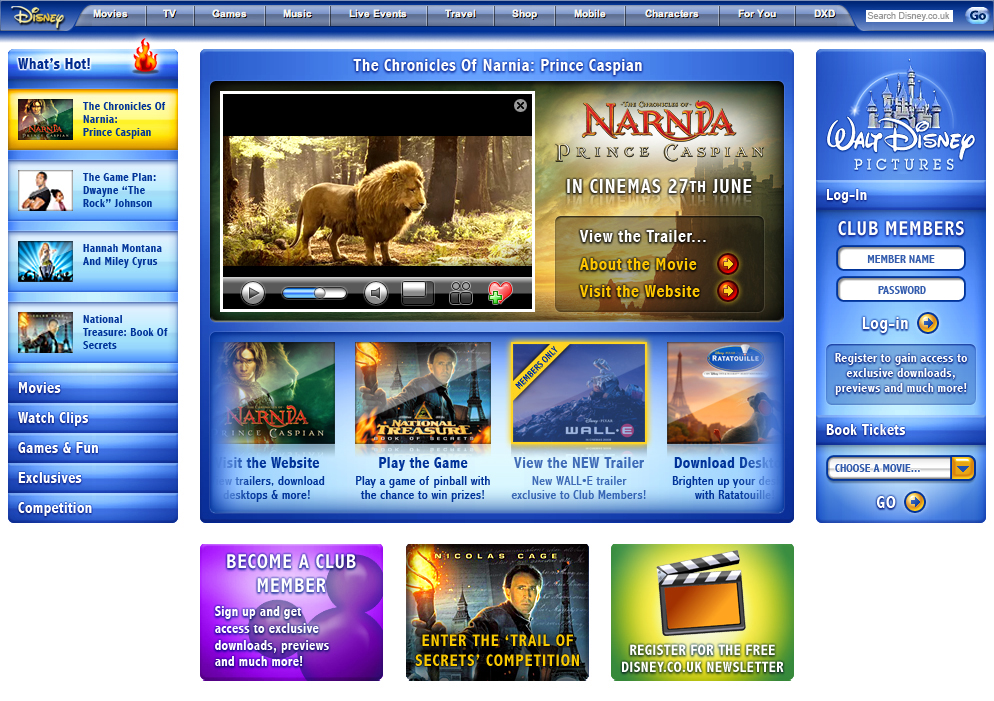
When the movie is moused over, several movie controls and options become visible.
From left to right:
• Play / Pause.
• Timeline / Scrubber.
• Volume Control.
• View Larger.
• Share (includes social media options and email links).
• Add to "My Faves" (for phase 2
of site-build).
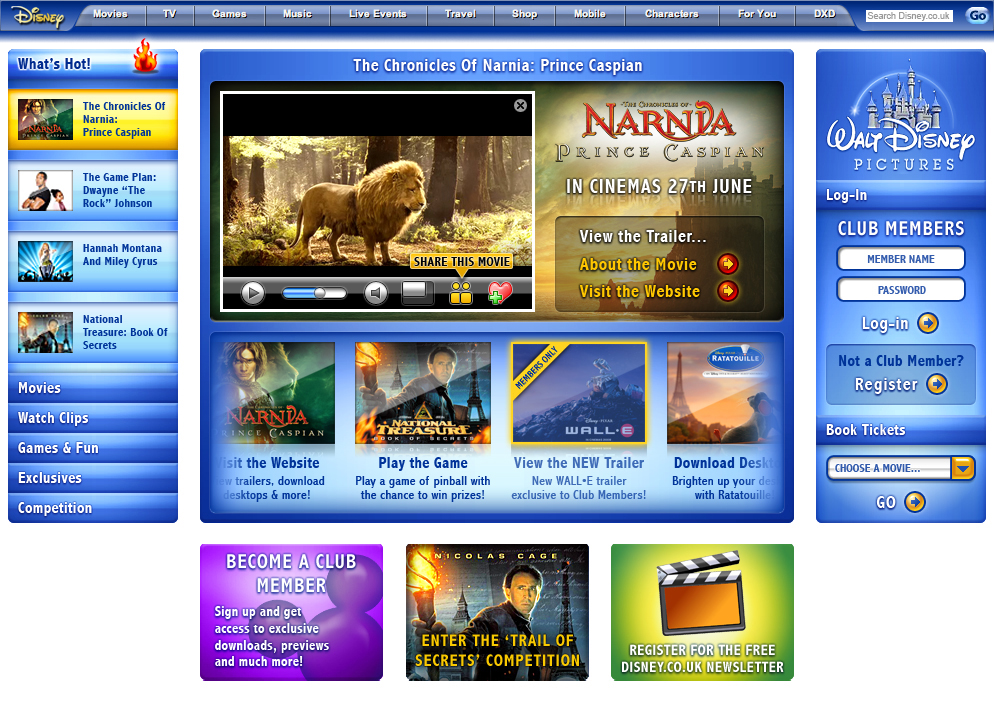
These controls will be familiar to the majority of users, but will also display pop-ups saying what they are when moused over.
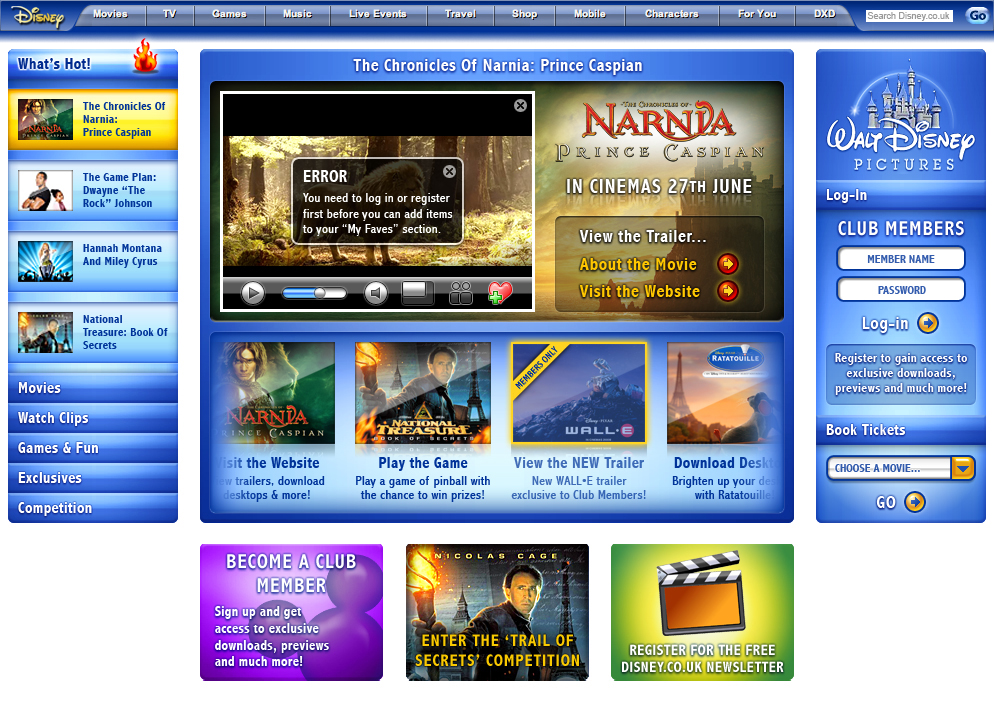
An example translucent overlay message, in this instance displaying an error when trying to add an item to your Faves list without having registered or logged-in first.
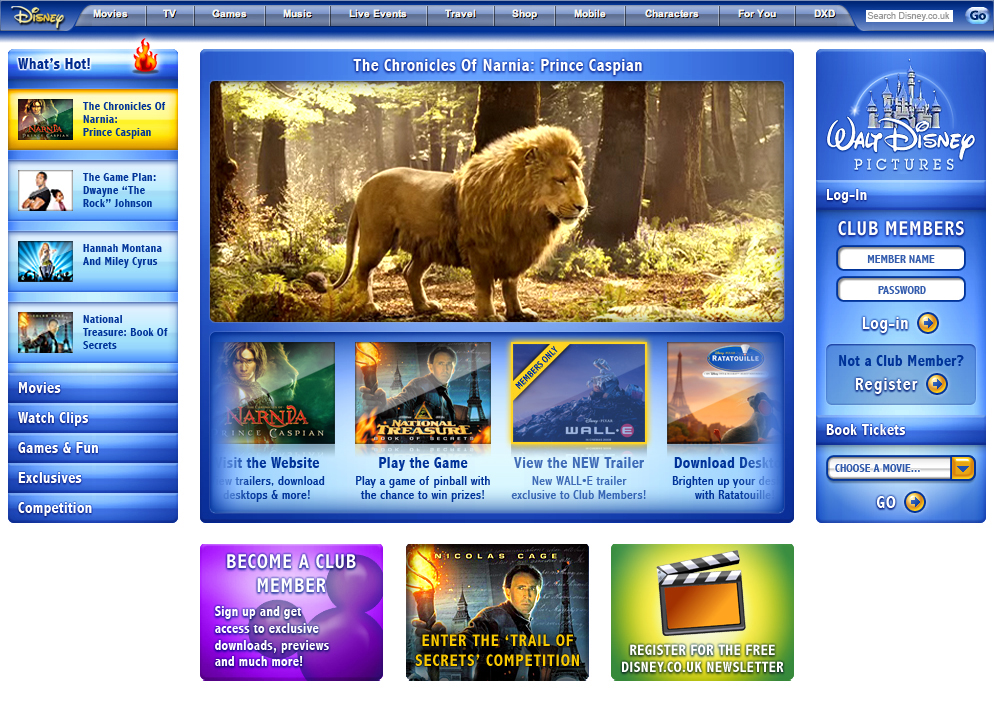
Showing the movie trailer playing at the larger size.
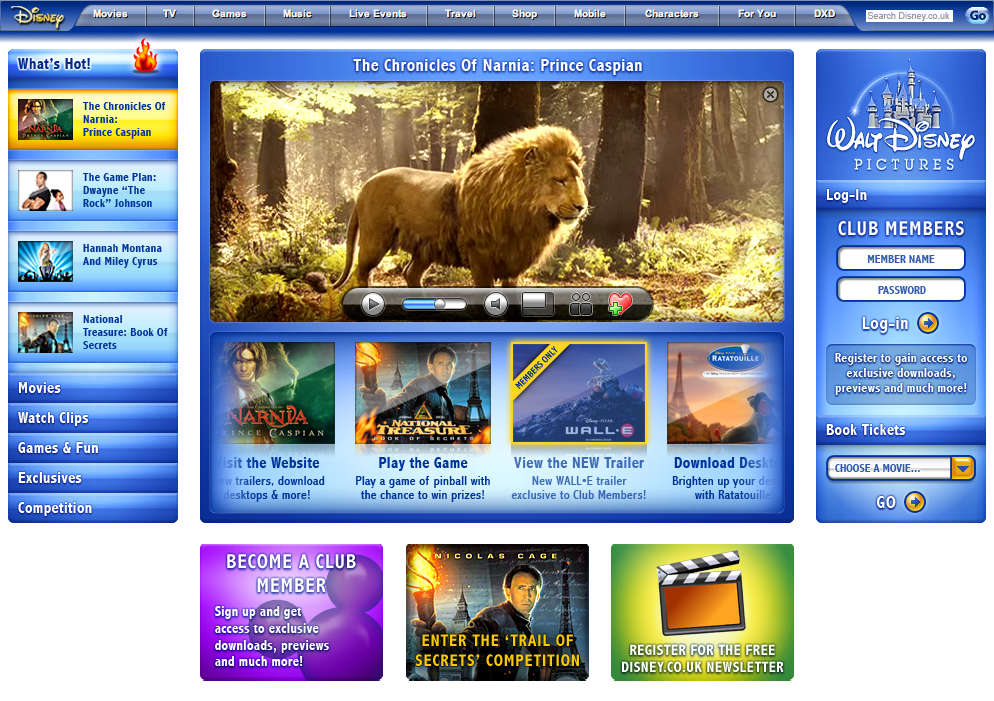
Standard movie controls and options when having moused over the larger size movie trailer.
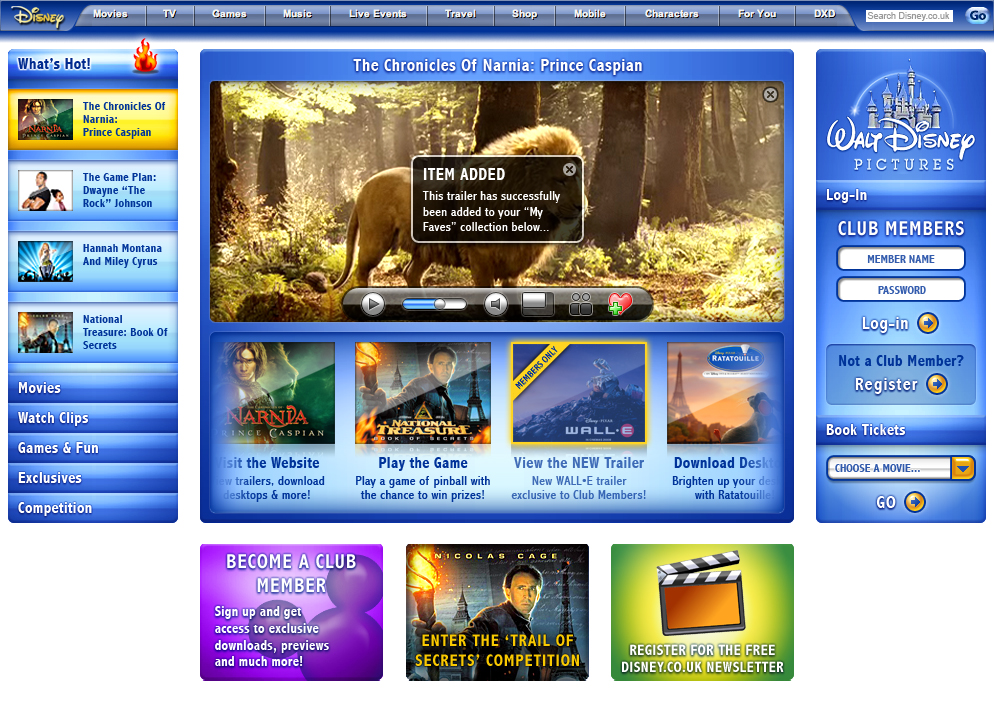
An example translucent overlay message, in this example informing the user of the clip having been added to their Faves collection (for phase 2 of site-build).
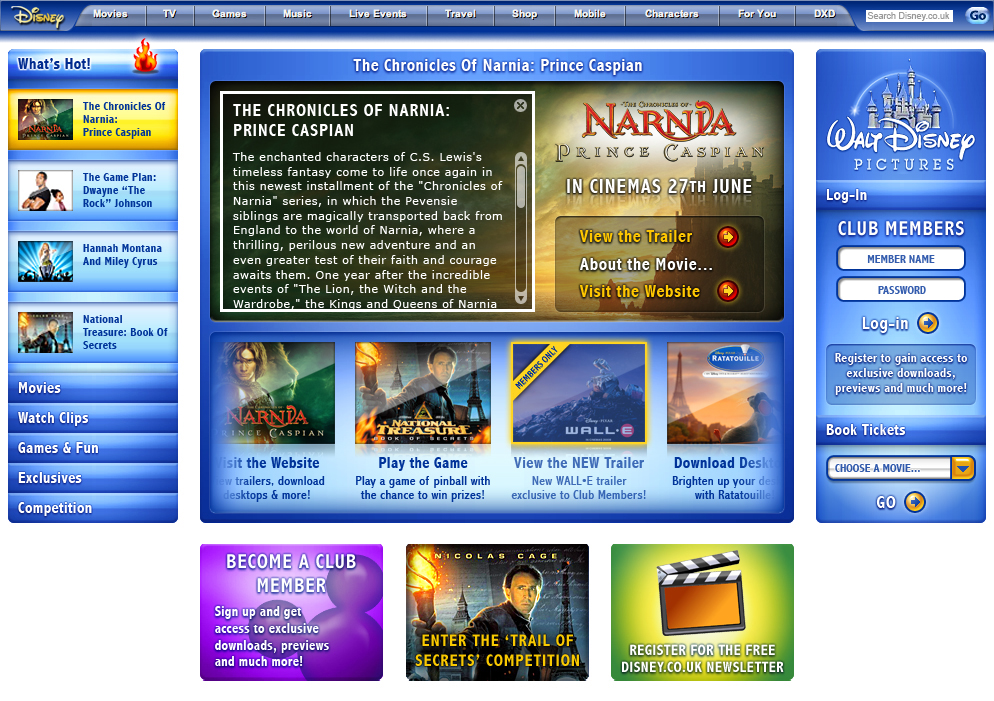
The "About The Movie" synopsis, with standard close (X) button in the top-right corner.
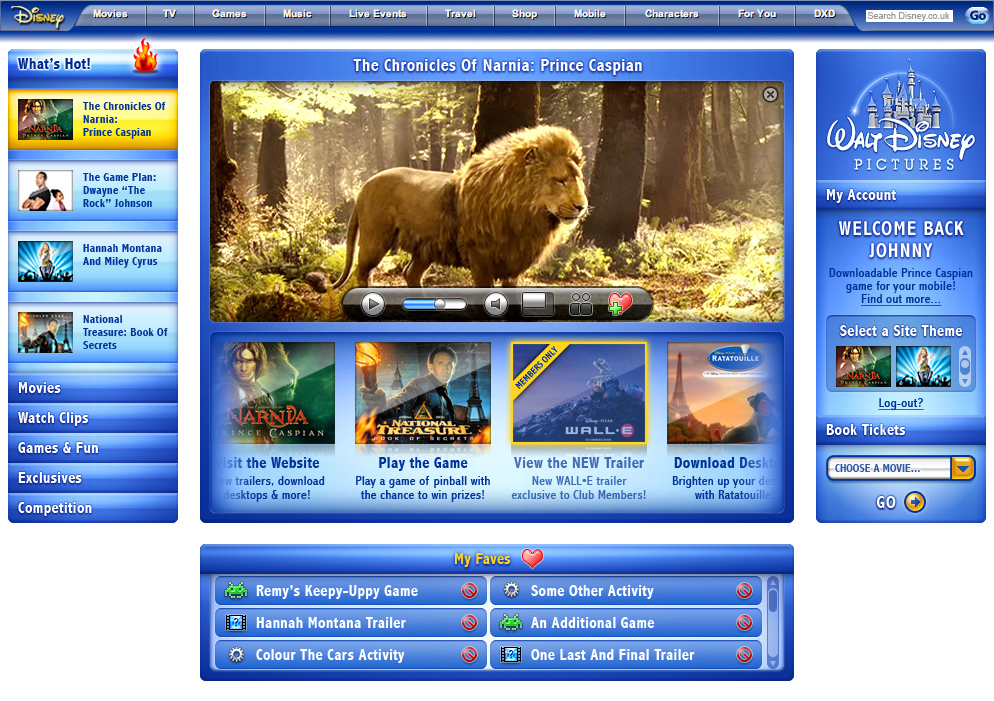
Showing how the right-side panel has changed once the user has logged in to the site, and now has exclusive and personalised options available to them.
The Log-In title has now changed to My Account.
Also showing on this page now having logged in, and replacing the "incentives to sign up" banners at the bottom, is the proposed My Faves panel for phase 2 of the site-build, showing:
• Category icon
(Game, Movie, etc.).
• Title for faved item.
• Delete option.
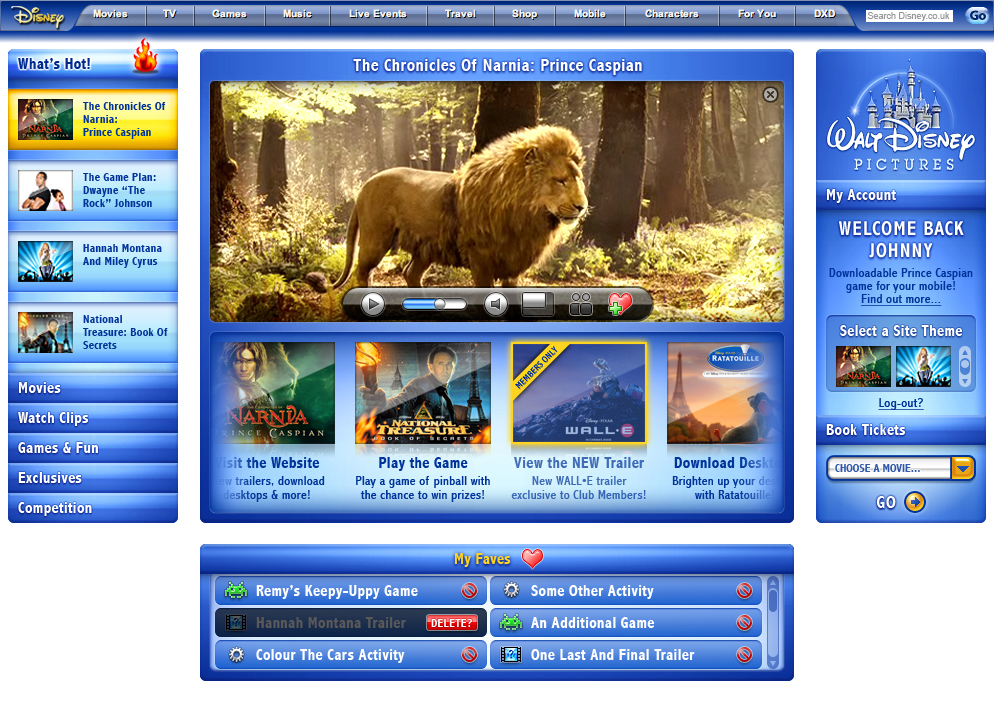
Faves list showing the "are you sure you want to delete this item?" button when the delete button is clicked on, to prevent accidental deletions.
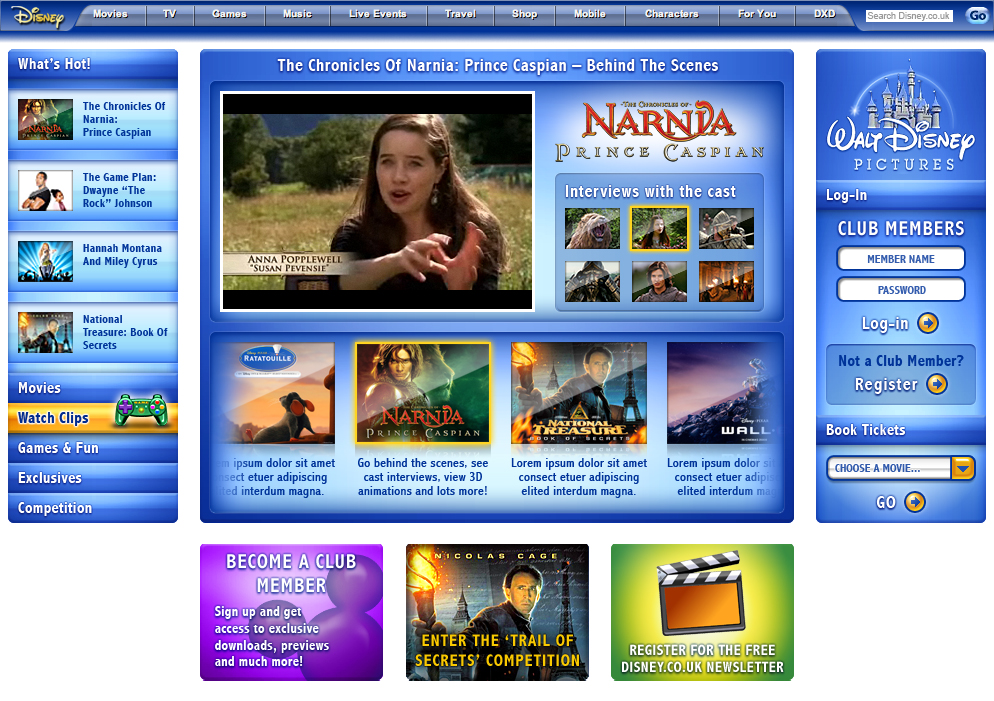
The Watch Clips page, showing that the user has opted to view a selection of "The Chronicles Of Narnia" clips from the scrolling thumbnail strip in the bottom panel, and that these related clips are then individually selectable from within the top panel.
In this example, the second clip is playing, and the title for it is showing above it. All other clips will also have their titles display in this same space.
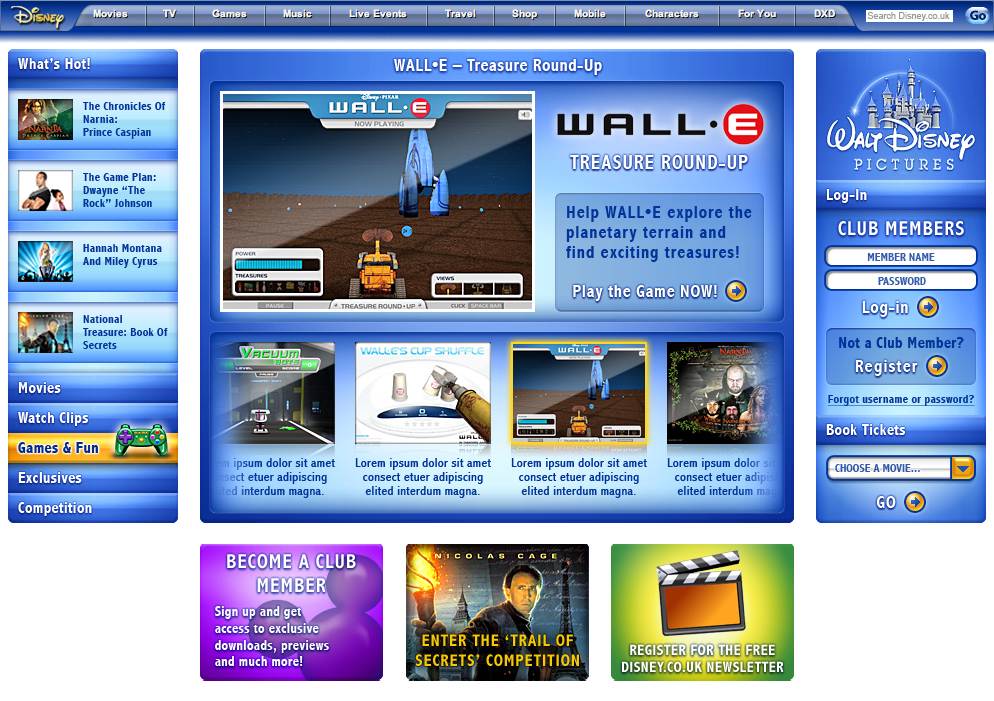
The Games & Fun page, showing that the user has opted to view the details for a WALL-E game from the scrolling thumbnail strip in the bottom panel.
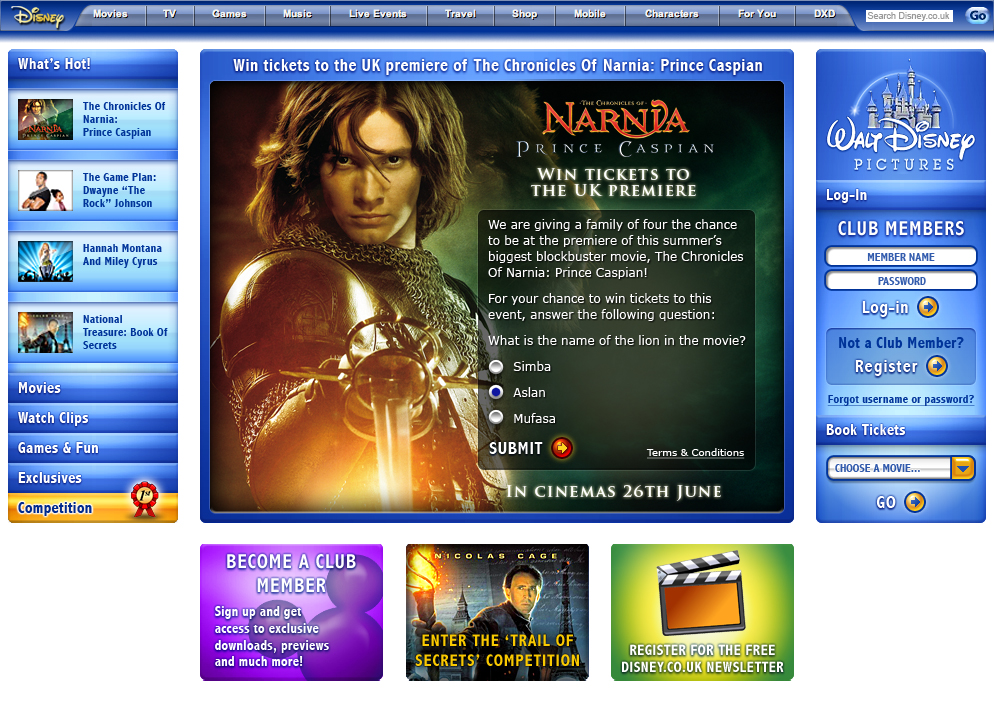
The Competition page, which makes use of the full height of both centre panels.
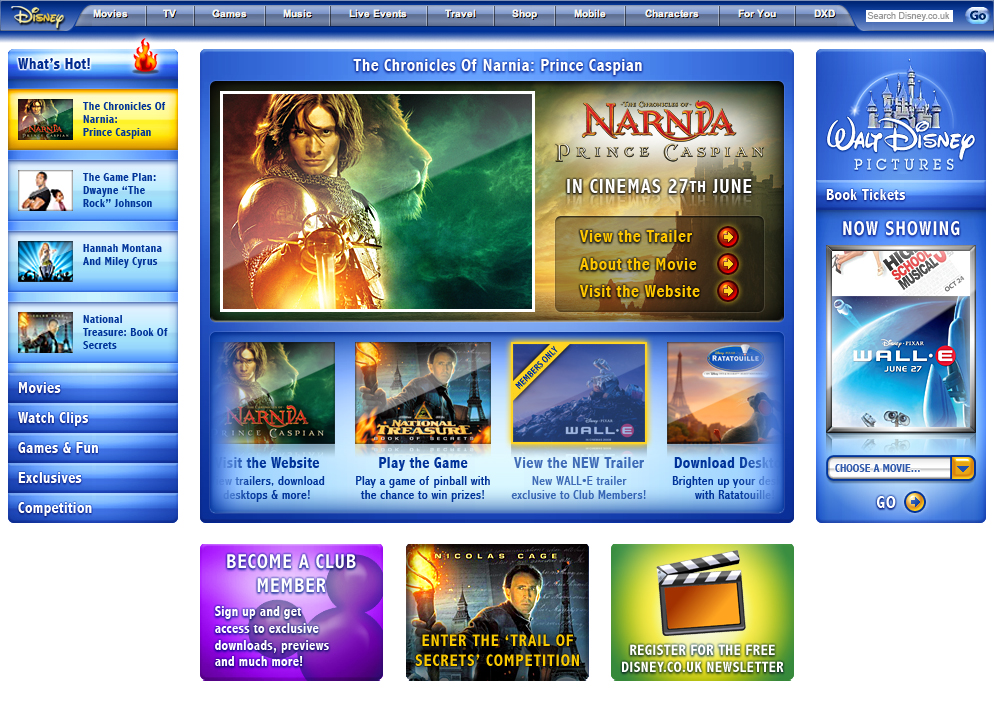
The updated right hand side panel, with the personalisation aspects of the Log In / My Account section temporarily removed, until it is re-implemented in phase 2 of the site-build.
Until this is re-instated, the Book Tickets section will take up the full height of the panel, and will displaying a vertically-scrolling list of film posters (billboard-style) for movies currently showing and coming soon that you can book tickets for.